Capture anything
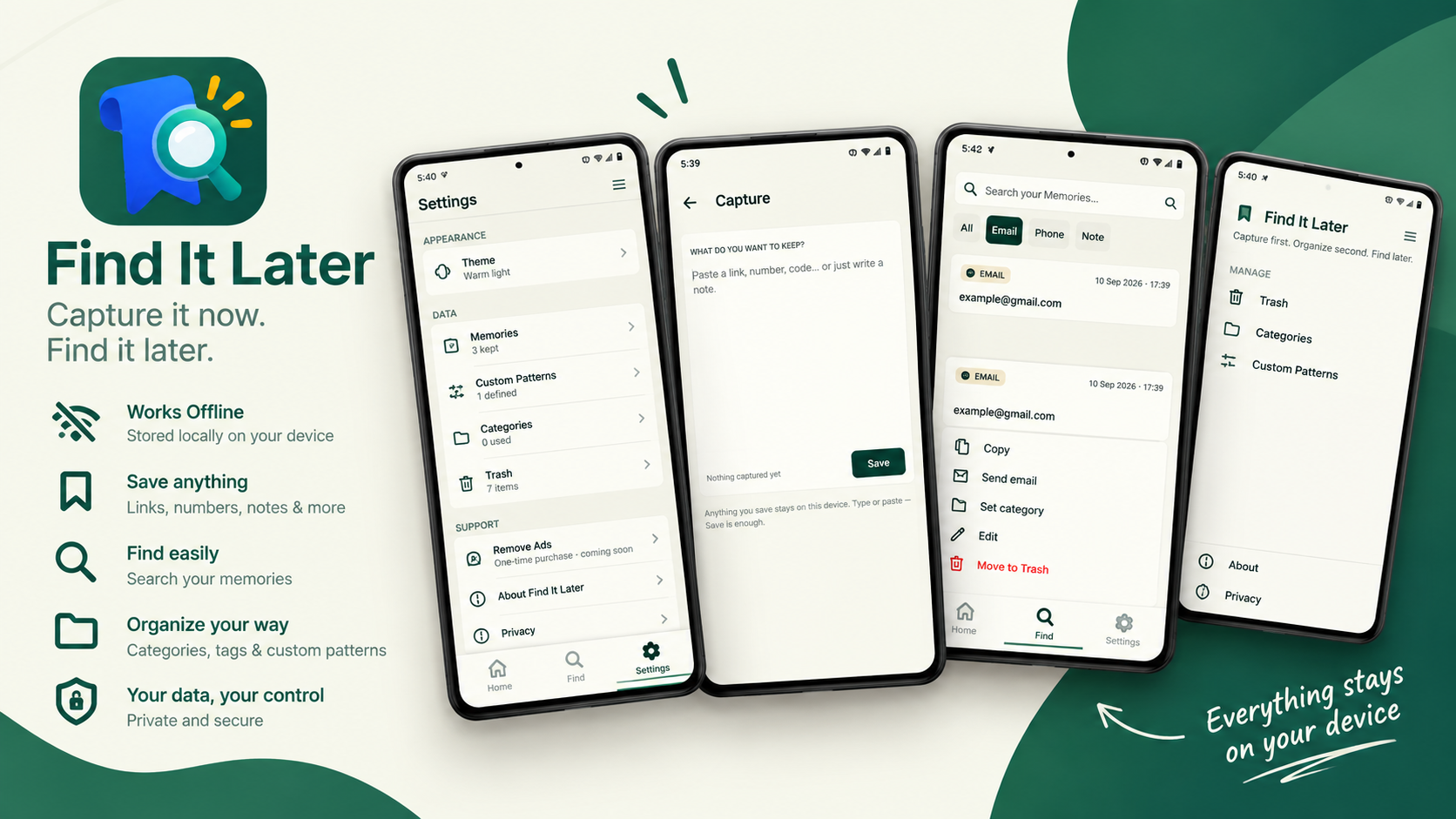
Paste or type. The capture surface is built for quick saving — multiline, no forms, no fields. Just save and move on.
Capture first · Organize second · Find later
Paste a link, a phone number, an email, a code, or a note. Find It Later keeps it on your device, ready when you need it.
Free · No account · Works offline · Ad-supported
Install
Find It Later is currently available through Google Play's closed testing program. Follow the two steps below to install it.
Open the Google Group below and join it with your Google account. This is how Play Store knows you're allowed to install the app while it's in testing.
Join testers groupOnce you've joined the group, open the Play Store link below and tap Install.
Open in Play StorePlay Store only shows this app to the exact Google account that joined the testers group. If the Play Store says "App not available" or shows a blank page:
What it does
Paste or type. The capture surface is built for quick saving — multiline, no forms, no fields. Just save and move on.
Links, emails, phone numbers, and notes are recognized automatically. Add your own regex patterns for anything else.
Search across everything you've kept. Filter by type. Open, copy, call, or share with one tap.
How it works
The capture surface is the first thing you see. Start typing or paste immediately.
One tap. The organizer quietly detects what kind of information it is.
Search, filter, and retrieve in seconds. No folders to maintain, no tags to remember.
Privacy
No accounts, no cloud, no sync. Memories live in a local database on your phone.
Find It Later never reads your clipboard in the background. Content is only stored when you save it yourself.
No analytics, no identifiers, no advertising profiles. Delete everything at any time from Settings.
Support
We read everything. For bug reports, feature requests, or anything else, write to mohax.support@gmail.com.